 Fincher TetherFincher Tether
Fincher Tether runs an AI assistant on your own computer, asks before anything new, and hands you a result you can read and approve, from your phone.
Free during the preview · Mac, Windows and Linux
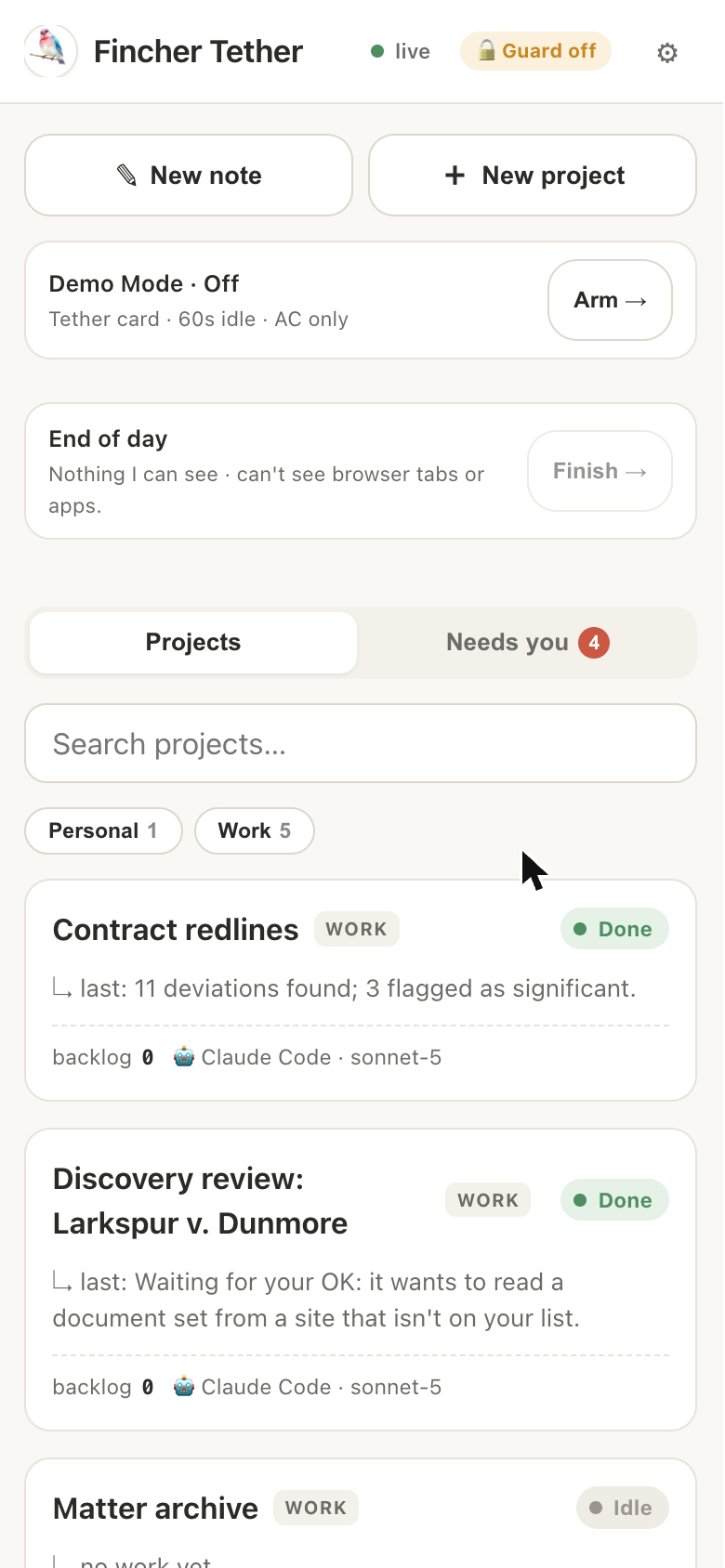
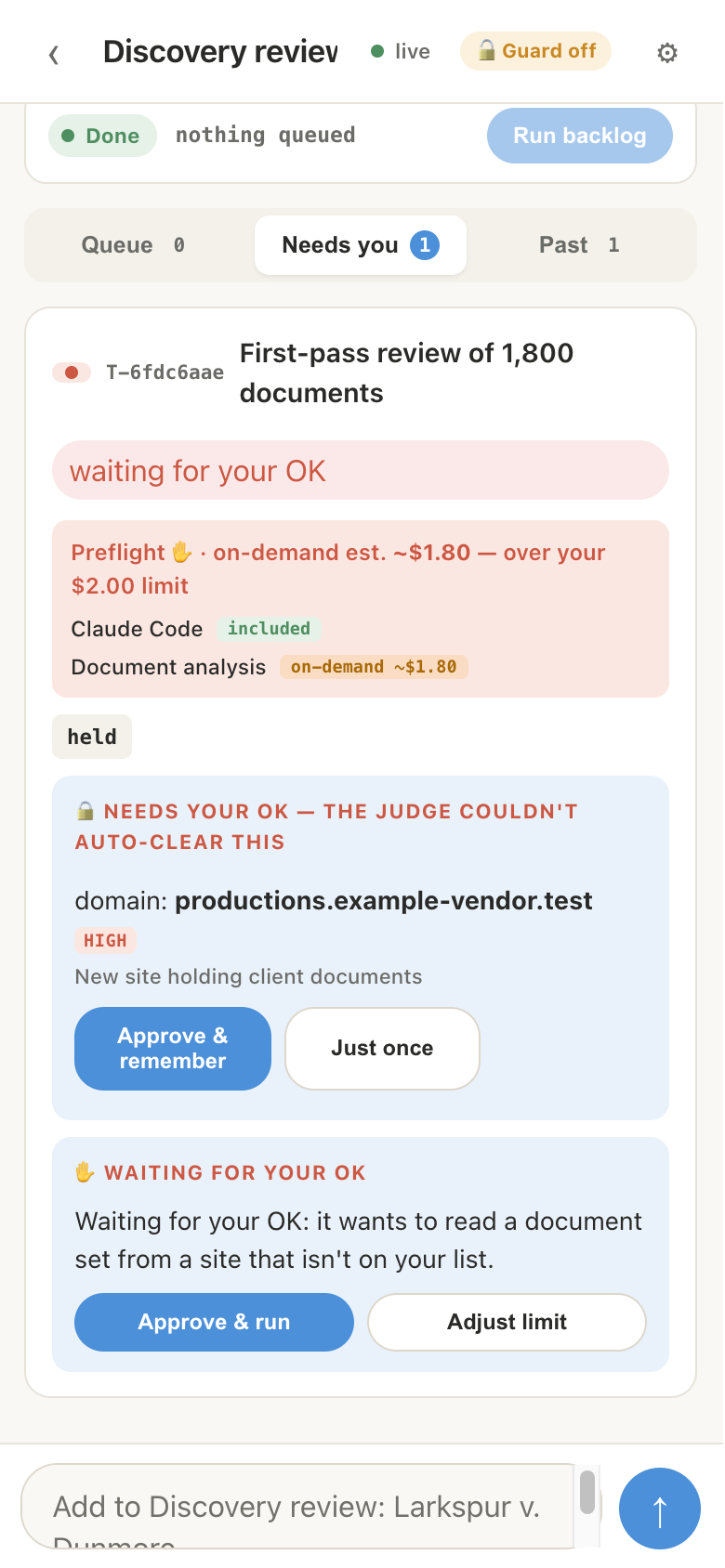
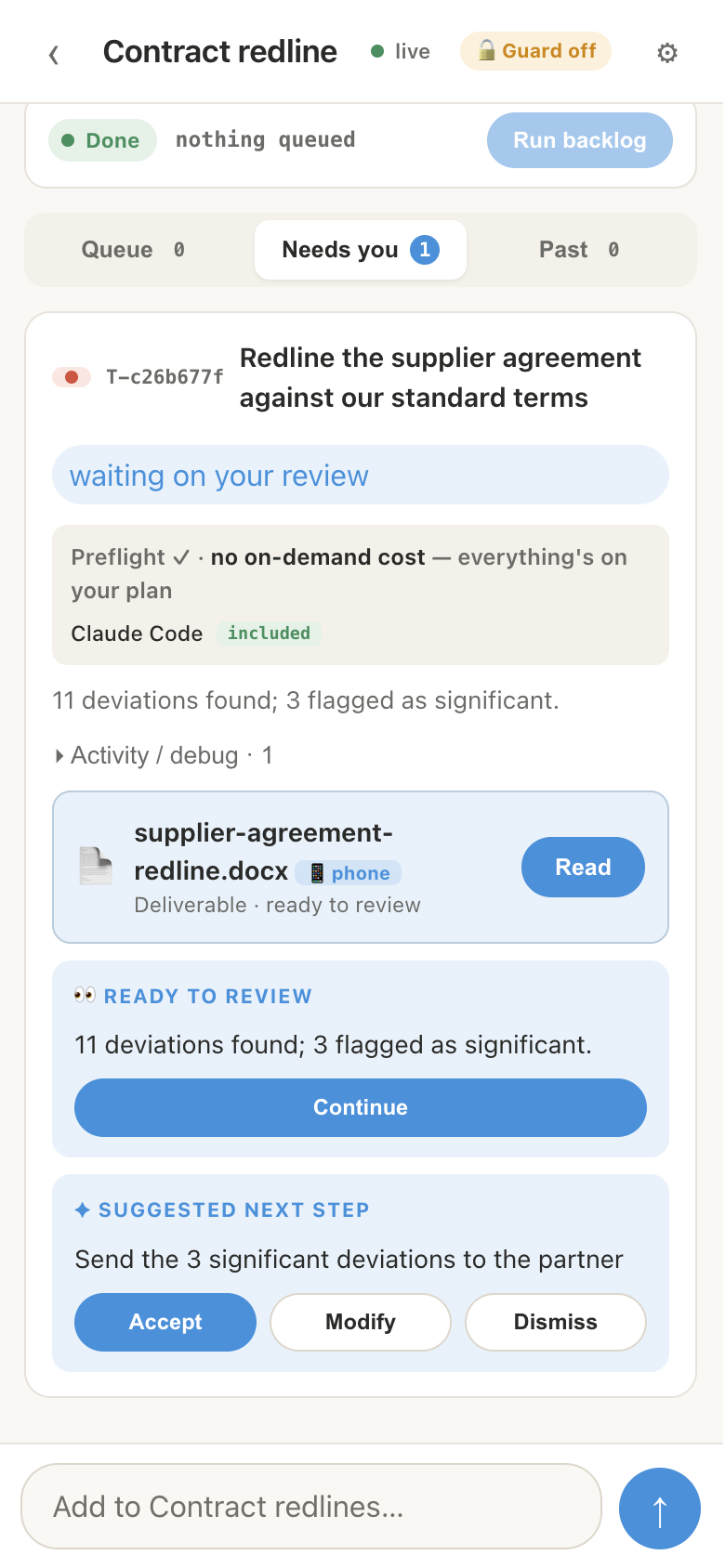
Sample matter with made-up documents.
Pick your computer. It installs like any other app.
Current version 0.001.152 · released November 6, 2026 · Install over an older version to update.
First time opening it, your computer may show a one-time warning because the preview isn't code-signed yet. Here's what to click.
Three steps, and you stay in charge of each one.
Write a goal the way you would brief a colleague: “Redline the supplier agreement against our standard terms.” Tether's AI assistant works on it in the background, on your own computer.
You can leave. Progress is waiting for you on your phone or at your desk.
Before a task touches something it hasn't used before, such as a new website or a paid service, Tether stops and shows you what it wants and what it would cost.
One tap approves it once or remembers it. Nothing new happens without you.
Every finished task ends as a deliverable you can read: a redline, a summary, a draft. Tether suggests the next step, and you accept, change or dismiss it.
Nothing is merged into your files until you say so.
The details that matter to a small firm.
Write a goal in plain words. Tether has an AI agent do the work in the background and gives you a result and a next step, not a wall of text.
Check progress and approve things from your phone, privately, over Tailscale. Nothing is opened to the public internet.
New or risky steps wait for one tap from you. Passwords and keys stay encrypted on your computer.
Each finished task is a deliverable you can read and accept, so nothing changes your files without you seeing it.
The agent runs on your computer. Short planning notes can use Fincher's service, with keys and passwords removed first. Or turn that off with Local only.
About five minutes.
Current release.
Need help? FAQ · Troubleshooting